本日はバレンタインということで、チョコレートを作りました(CSS的な意味で)。今回はbox-shadowを多用して作っています。最近話題のNeomorphismもbox-shadowを使って陰影を実装できますが、その参考になるかもしれません。
See the Pen MWwaxqp by Nishihara (@Nishihara) on CodePen.
概要
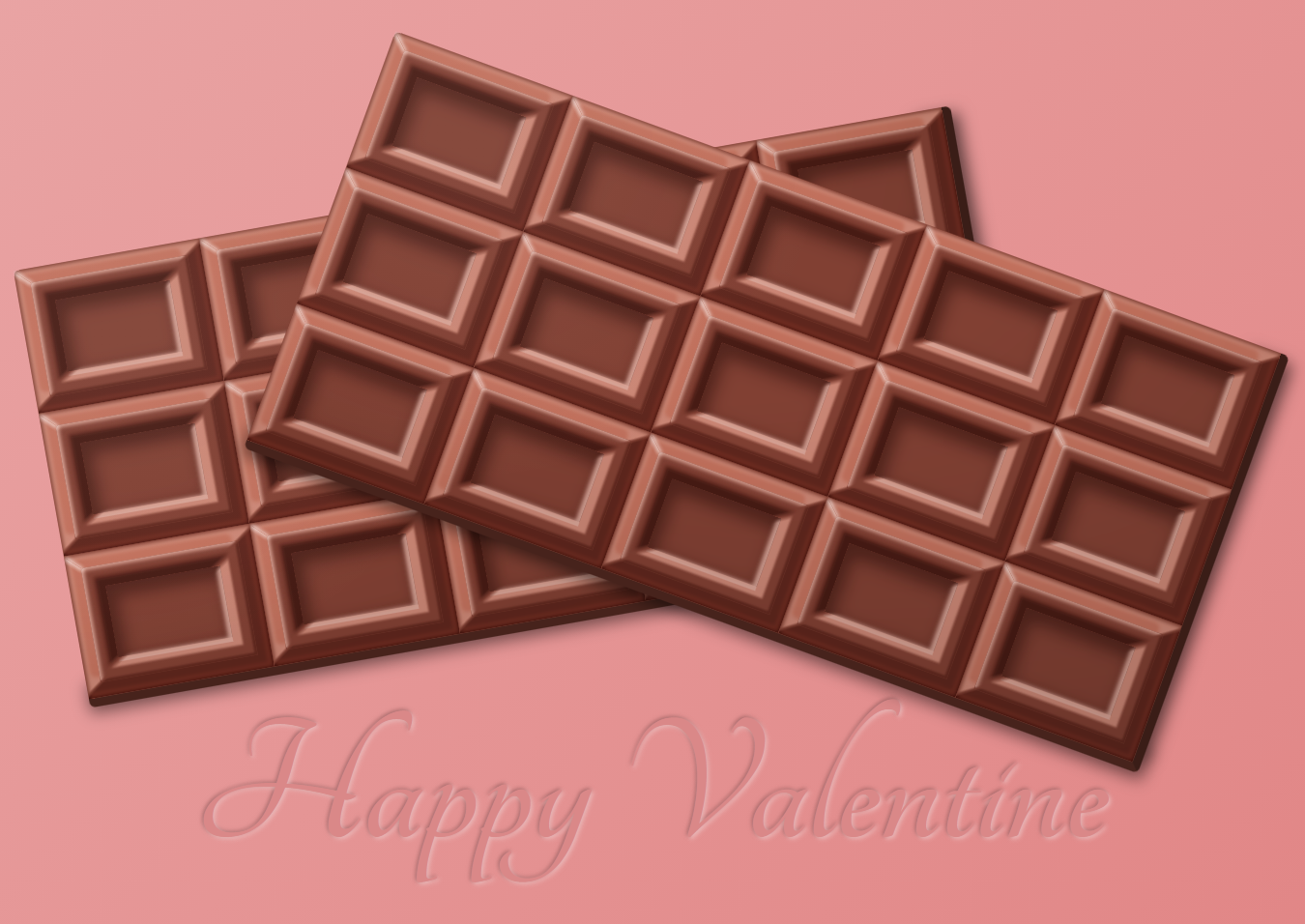
矩形のブロックが基本構成なので、box-shadowを使って陰影を作りました。明るいbox-shadowと暗いbox-shadowを重ねることでハイライトと影を表現します。div要素に加え、擬似要素にもbox-shadowを使っているので、けっこう重ね掛けしています。
今回は装飾にtext-shadowも使って内エンボス加工風の文字も添えました。
45度の突き合わせ
こだわったのは、角の部分です。斜め45度で突き合わせるのですが、普通にbox-shadowを組み合わせてもパキッといきません。
そこで、mask-imageとlinear-gradient()を使って、斜めのマスクを作成します。マスクを使って左斜め上と右斜め下のパーツに分けてくっつけて45度の突き合わせを実現したしています。マスクの端部を少しグラデーションさせてパキッとはしつつも、鋭角になりすぎないようにしています。
今思えば、borderとblur()を使えばもっと手軽に実装できたかもしれません。
mix-blend-modeとmix関数の活用
描画負荷は少し高くなりますがmix-blend-modeも活用しています。光が当たっている部分はscreenを、影の部分にはmultiplyを使っています。
また照りや影は、真っ白や真っ暗ではなく、実際には物体が持つ色を含んでいます。SCSSのmix()関数を使うことでチョコレートの色を含んだ反射光や影をつけました。
作り方
では、作り方を解説していきます。1つのブロックに注目して進ます。なお、チョコレートの色は全体ラッパー要素である、<div class="chocolate">で指定しています。
<divclass="block block1"><divclass="outerBottomRight"></div><divclass="outerTopLeft"></div><divclass="innerBottomRight"></div><divclass="innerTopLeft"></div><divclass="edge"></div></div>.block{width:130px;height:100px;position:relative;overflow:hidden;&:before{content:"";display:block;width:80px;height:50px;position:absolute;top:25px;left:25px;box-shadow:inset3px5px10px3pxrgba(mix($base,#000,55%),0.5);mix-blend-mode:multiply;}}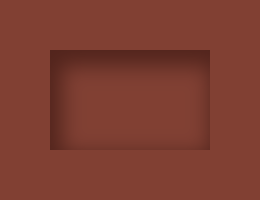
1つの大きさは130px×100pxです。疑似要素で中に二周りほど小さい四角を作り、内側にシャドウをかけています。これだけだとただの箱です。ぽっこりと膨らんだ表現は外側と内側の2つの要素に分けて作っています。
外側の膨らみを作っていく
左上と右下に分けて作っています。
<divclass="outerBottomRight"></div><divclass="outerTopLeft"></div>.outerTopLeft,.outerBottomRight{position:absolute;top:0;left:0;width:130px;height:100px;&:before{content:"";display:block;position:absolute;top:10px;left:10px;width:110px;height:80px;}&:after{content:"";display:block;position:absolute;}}ここでは共通部分を定義しています。大きさはブロックと同じですが、疑似要素はさきほどの内側の四角よりは大きい、一回り小さいサイズです。
.outerTopLeft{mix-blend-mode:screen;-webkit-mask-image:linear-gradient(-0.63rad,transparent050%,black51%100%);&:before{box-shadow:003px9pxrgba(mix($base,#fff,85%),1);}&:after{top:10px;left:10px;width:110px;height:80px;border-radius:3px;box-shadow:-5px-5px3px1pxrgba(mix($base,#fff,100%),1),inset1px1px3px1pxrgba(mix($base,#fff,70%),1);}}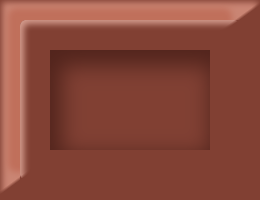
ここで、さきほどの書いた45度の突き合わせを使っています。-webkit-mask-image: linear-gradient(-0.63rad, transparent 0 50%, black 51% 100%);で擬似要素にかけたbox-shadowの左上半分だけが表示されます。縁の部分にもinsetでわずかに白いハイライトいれることで、角が少し丸みをおびたように見えます。
.outerBottomRight{mix-blend-mode:multiply;-webkit-mask-image:linear-gradient(-0.63rad,black049%,transparent50%100%);&:after{top:0;left:0;width:130px;height:100px;mix-blend-mode:screen;box-shadow:inset-2px-2px3px2pxrgba(mix($base,#fff,100%),1);}&:before{box-shadow:003px9pxrgba(mix($base,#fff,55%),1),inset001px2pxrgba(mix($base,#fff,50%),1);}}
同じようにして、右下も作ります。
内側を作っていく
外側ができたので、内側も作っていきます。基本的には同じ手法になります。
.innerTopLeft,.innerBottomRight{position:absolute;top:0;left:0;width:130px;height:100px;-webkit-mask-size:100%;&:after,&:before{content:"";display:block;position:absolute;top:25px;left:25px;width:80px;height:50px;}}共通部分を作り、
.innerTopLeft{mix-blend-mode:multiply;-webkit-mask-image:linear-gradient(-0.58rad,transparent050%,black52%100%);&:before{width:90px;height:60px;top:20px;left:20px;box-shadow:003px3pxrgba(mix($base,#fff,55%),1);}&:after{box-shadow:001.5px6pxrgba(mix($base,#999,50%),1);}}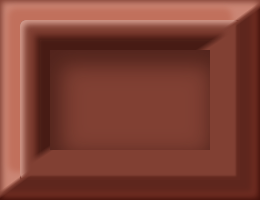
左上の影を入れ…
.innerBottomRight{mix-blend-mode:screen;-webkit-mask-image:linear-gradient(-0.58rad,black048%,transparent50%100%);&:before{box-shadow:001.5px6pxrgba(mix($base,#fff,85%),1);}&:after{height:53px;box-shadow:inset-2px-2px3px1pxrgba(mix($base,#fff,65%),1);}}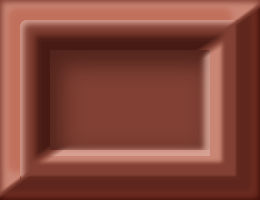
右下にはハイライトを入れます。これで、だいたいできました。
斜めのエッジにハイライトを加える。
左上の斜めの辺が一番光を強く受けるのでハイライトを加えます。
.edge{width:12px;box-shadow:002px1pxrgba(mix($base,#fff,15%),1);transform:rotate(0.75rad);mix-blend-mode:screen;position:absolute;top:6px;left:0;}
これでブロックの完成です!
最終調整
あとは、これをで15個並べていきます。
<divclass="chocolate"><divclass="block block1"><divclass="outerBottomRight"></div><divclass="outerTopLeft"></div><divclass="innerBottomRight"></div><divclass="innerTopLeft"></div><divclass="edge"></div></div><divclass="block block2"><divclass="outerBottomRight"></div><divclass="outerTopLeft"></div><divclass="innerBottomRight"></div><divclass="innerTopLeft"></div><divclass="edge"></div></div><divclass="block block3"><divclass="outerBottomRight"></div><divclass="outerTopLeft"></div><divclass="innerBottomRight"></div><divclass="innerTopLeft"></div><divclass="edge"></div></div><divclass="block block4"><divclass="outerBottomRight"></div><divclass="outerTopLeft"></div><divclass="innerBottomRight"></div><divclass="innerTopLeft"></div><divclass="edge"></div></div><divclass="block block5"><divclass="outerBottomRight"></div><divclass="outerTopLeft"></div><divclass="innerBottomRight"></div><divclass="innerTopLeft"></div><divclass="edge"></div></div><divclass="block block6"><divclass="outerBottomRight"></div><divclass="outerTopLeft"></div><divclass="innerBottomRight"></div><divclass="innerTopLeft"></div><divclass="edge"></div></div><divclass="block block7"><divclass="outerBottomRight"></div><divclass="outerTopLeft"></div><divclass="innerBottomRight"></div><divclass="innerTopLeft"></div><divclass="edge"></div></div><divclass="block block8"><divclass="outerBottomRight"></div><divclass="outerTopLeft"></div><divclass="innerBottomRight"></div><divclass="innerTopLeft"></div><divclass="edge"></div></div><divclass="block block9"><divclass="outerBottomRight"></div><divclass="outerTopLeft"></div><divclass="innerBottomRight"></div><divclass="innerTopLeft"></div><divclass="edge"></div></div><divclass="block block10"><divclass="outerBottomRight"></div><divclass="outerTopLeft"></div><divclass="innerBottomRight"></div><divclass="innerTopLeft"></div><divclass="edge"></div></div><divclass="block block11"><divclass="outerBottomRight"></div><divclass="outerTopLeft"></div><divclass="innerBottomRight"></div><divclass="innerTopLeft"></div><divclass="edge"></div></div><divclass="block block12"><divclass="outerBottomRight"></div><divclass="outerTopLeft"></div><divclass="innerBottomRight"></div><divclass="innerTopLeft"></div><divclass="edge"></div></div><divclass="block block13"><divclass="outerBottomRight"></div><divclass="outerTopLeft"></div><divclass="innerBottomRight"></div><divclass="innerTopLeft"></div><divclass="edge"></div></div><divclass="block block14"><divclass="outerBottomRight"></div><divclass="outerTopLeft"></div><divclass="innerBottomRight"></div><divclass="innerTopLeft"></div><divclass="edge"></div></div><divclass="block block15"><divclass="outerBottomRight"></div><divclass="outerTopLeft"></div><divclass="innerBottomRight"></div><divclass="innerTopLeft"></div><divclass="edge"></div></div><divclass="overlay"></div></div>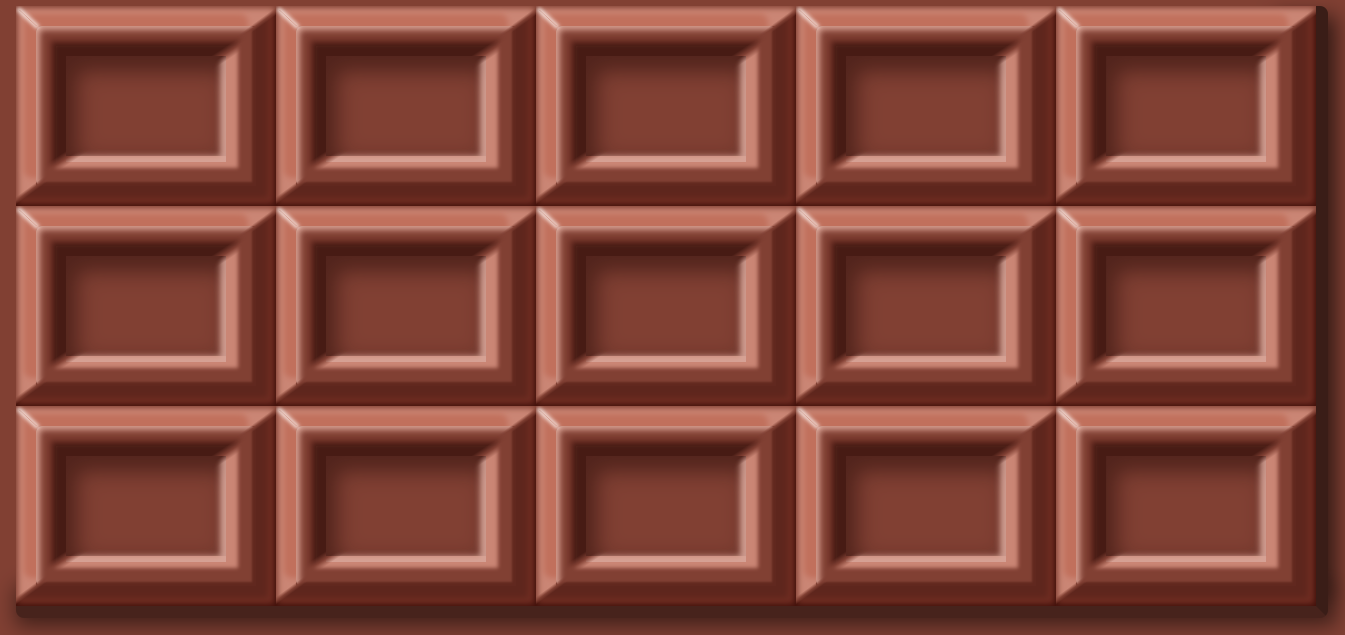
display: flexで配置しています。下側と右側にborderで厚みを加えています。
.chocolate{width:656px;height:306px;background-color:$base;border-bottom:6pxsolidmix($base,#000,55%);border-right:6pxsolidmix($base,#000,45%);border-radius:4px;display:flex;justify-content:flex-start;align-items:flex-start;flex-wrap:wrap;position:relative;&:before{content:"";display:block;position:absolute;z-index:-1;top:15px;left:640px;width:10px;height:270px;box-shadow:0010px10pxrgba(0,0,0,0.6);}&:after{content:"";display:block;position:absolute;z-index:-1;top:300px;left:10px;width:640px;height:0;box-shadow:0010px10pxrgba(0,0,0,0.5);}}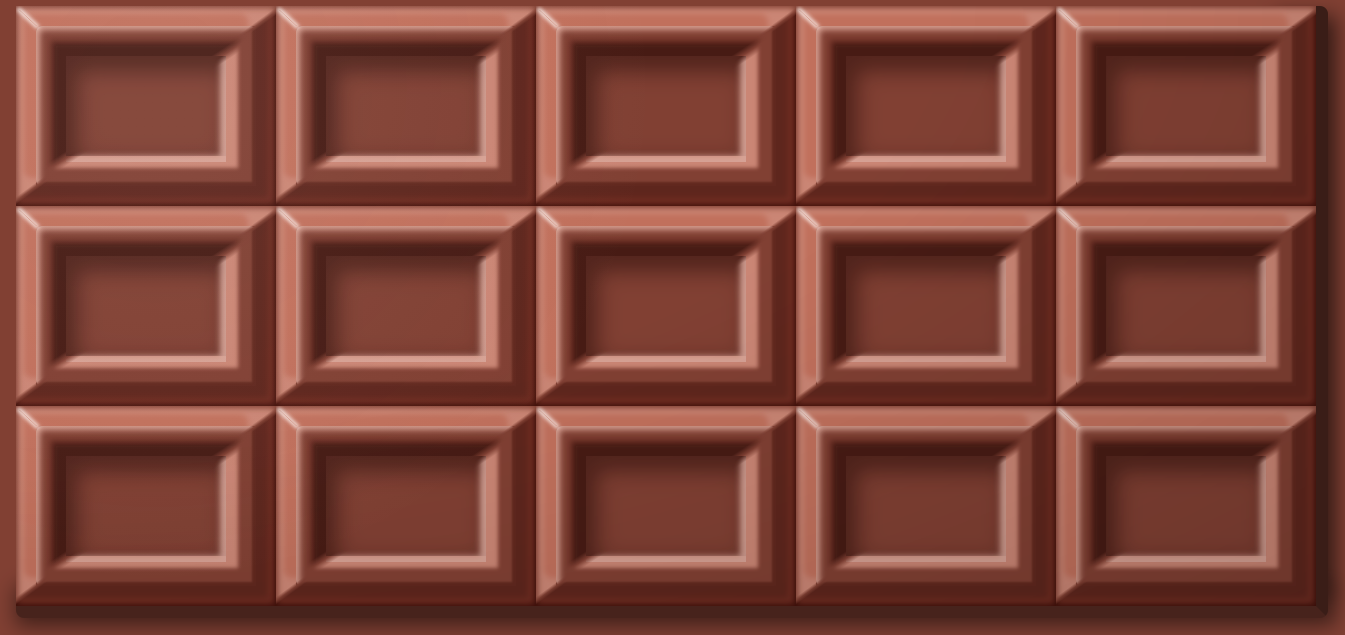
最後にオーバーレイ要素で全体的な濃淡の差を少し加えます。リアル感が少しでます。
.overlay{position:absolute;width:650px;height:300px;background-image:radial-gradient(ellipseat5px0px,rgba(0,0,0,0)50%,rgba(0,0,0,0.15));&:after{content:"";position:absolute;width:650px;height:300px;mix-blend-mode:lighten;background-image:radial-gradient(circleat70px40px,rgba(255,255,255,0.05)5%,rgba(255,255,255,0)40%);}}あとはよしなに配置すれば完成です。
おわりに
四角い矩形で比較的つるっとした表面なので、簡単に作れるかなって思っていましたが、やはりそれなりに時間はかかりました。box-shadowの良い練習になりました。