HTML.CSSのコピーアンドペースト手順の備忘録です。
大枠な流れ・Bootstrap使い方まとめ
- リンク先コピー:CSSのみ
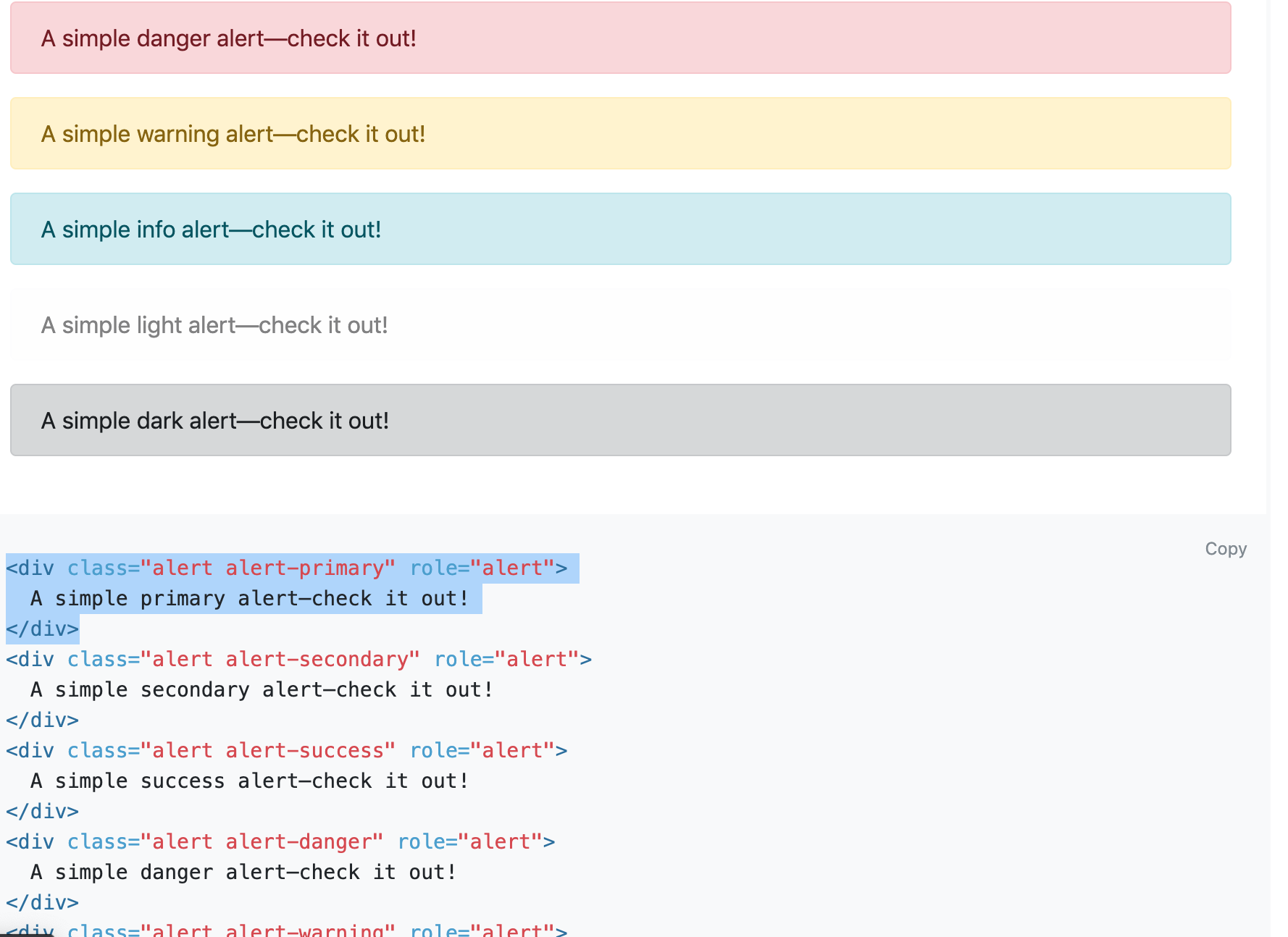
- headerコピー:Components の Alerts
- ボタンコピー:Components の Buttons
- 全体の中央寄せ:Layout の container
- ボタン真ん中寄せ:Utilities の Flex
- スペースのバランスを整える:Utilities の Spacing「Exaples」
Step1 フォルダを作る
HTML.CSSを書いていくフォルダを作ります。
~$ mkdir test
Step2 "html5boilerplate"フォルダをダウンロード&コピー
- html5boilerplate ダウンロード
- ダウンロードフォルダの中へ移動
- html5boilerplateフォルダを開く
- index.htmlのみコピー
![スクリーンショット 2020-12-07 1.31.04.png]()
- 最初に作ったtestフォルダの中に貼り付ける

Step3 HTML.CSS実行
- テストフォルダのindex.htmlをエディタで開く
<body></body>で囲まれている中身を消す- Bootstrap検索
- ダウンロード又は下の方にある
CSSのみと書いてある所のコードを全部コピー![スクリーンショット 2020-12-07 9.01.02.png]()
<head></head>の19行目あたりに貼り付け![スクリーンショット 2020-12-07 11.17.31.png]()
index.htmlファイルを検索タブにドラック&ドロップしてタブに表示する(CSSのコードの結果が見れる)


Step4 headerをつける
- Bootstrapの
ドキュメントをクリック - 左側メニューの
Componentsをクリック Alertsをクリックし好きなコードをコピー![スクリーンショット 2020-12-07 9.23.46.png]()
- index.htmlファイル
<body>のなかに貼り付け
Step5 ボタンをつける
- Buttonsをクリック
- 好きなボタンコードをコピー
![スクリーンショット 2020-12-07 9.30.32.png]()
- index.htmlファイル
<body>内の<div class="alert alert-info" role="alert">A simple info alert—check it out!</div>の下あたりに貼り付け - 4つ同じコードを打つ
![スクリーンショット 2020-12-07 9.45.28.png]()


Step6 全体を中央に寄せる
- Layoutをクリックする
- コンテナーコピー
![スクリーンショット 2020-12-07 9.57.11.png]()
- index.htmlファイルの
<Body>タグすぐ下に貼り付けて、</div>の部分のみ</Body>のすぐ上に移動させる
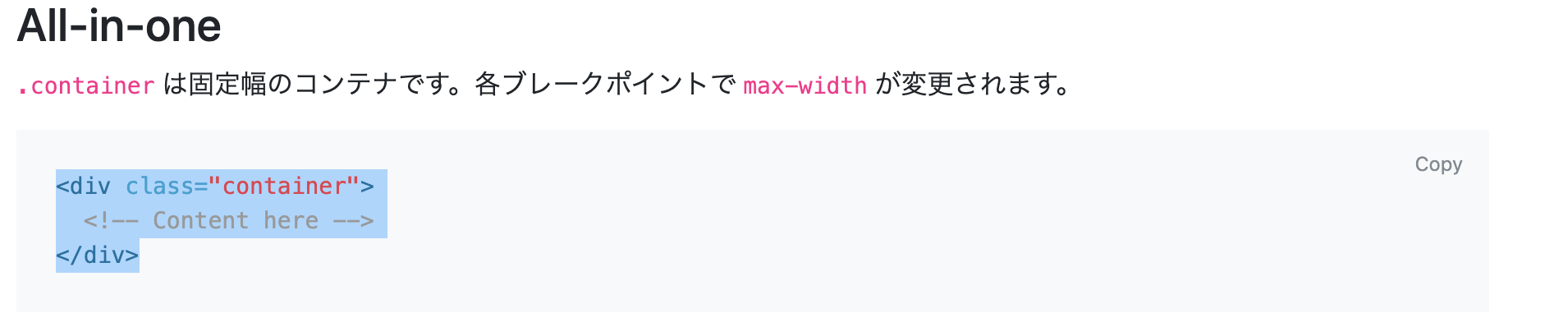
例
<body>
 <div class="container">
    <!-- Content here -->

    <div class="mt-3 alert alert-info" role="alert">
    A simple info alert—check it out!
    </div>
      <button type="button" class="ml-1 btn btn-secondary">Secondary</button>
      <button type="button" class="ml-1 btn btn-secondary">Secondary</button>
      <button type="button" class="ml-1 btn btn-secondary">Secondary</button>
      <button type="button" class="ml-1 btn btn-secondary">Secondary</button>

 </div>
</body>
Step7 ボタンを真ん中に寄せる
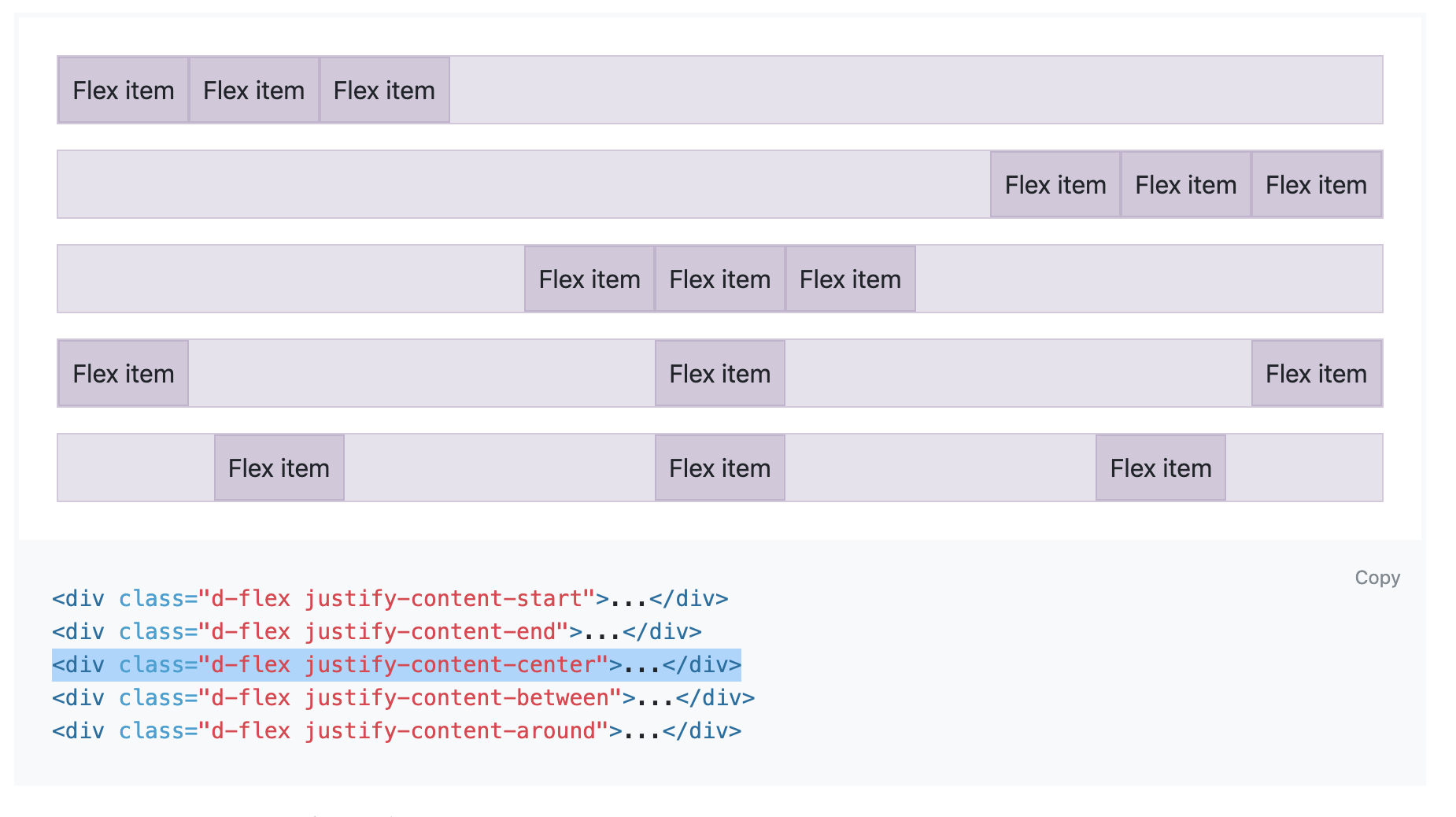
例
<div class="d-flex justify-content-center">
      <button type="button" class="ml-1 btn btn-secondary">Secondary</button>
      <button type="button" class="ml-1 btn btn-secondary">Secondary</button>
      <button type="button" class="ml-1 btn btn-secondary">Secondary</button>
      <button type="button" class="ml-1 btn btn-secondary">Secondary</button>
</div>
- index.htmlタブをリロードして確認
Step 7 スペースのバランスを整える
- Spacingをクリック
- スクロールをし「Exaples」の
ml-1をコピー - index.htmlファイルの
<Body>内<button>のclass内に入れていく![スクリーンショット 2020-12-07 10.33.26.png]()
- alartにも同様に入れていく
![スクリーンショット 2020-12-07 10.36.11.png]()
- index.htmlタブをリロードして確認(色は異なる場合があります)
![スクリーンショット 2020-12-07 10.38.11.png]()



完成です。参考になれば幸いです。